For small agencies and solo recruiters
Recruitment software sized for a small agency.
One user, 5,000 candidates, 10 active opportunities and the whole desk for A$249 a month plus GST. What you get, what you do not pay for yet, and how you leave if you want to.
What a small agency actually needs
The whole desk, not a starter edition.
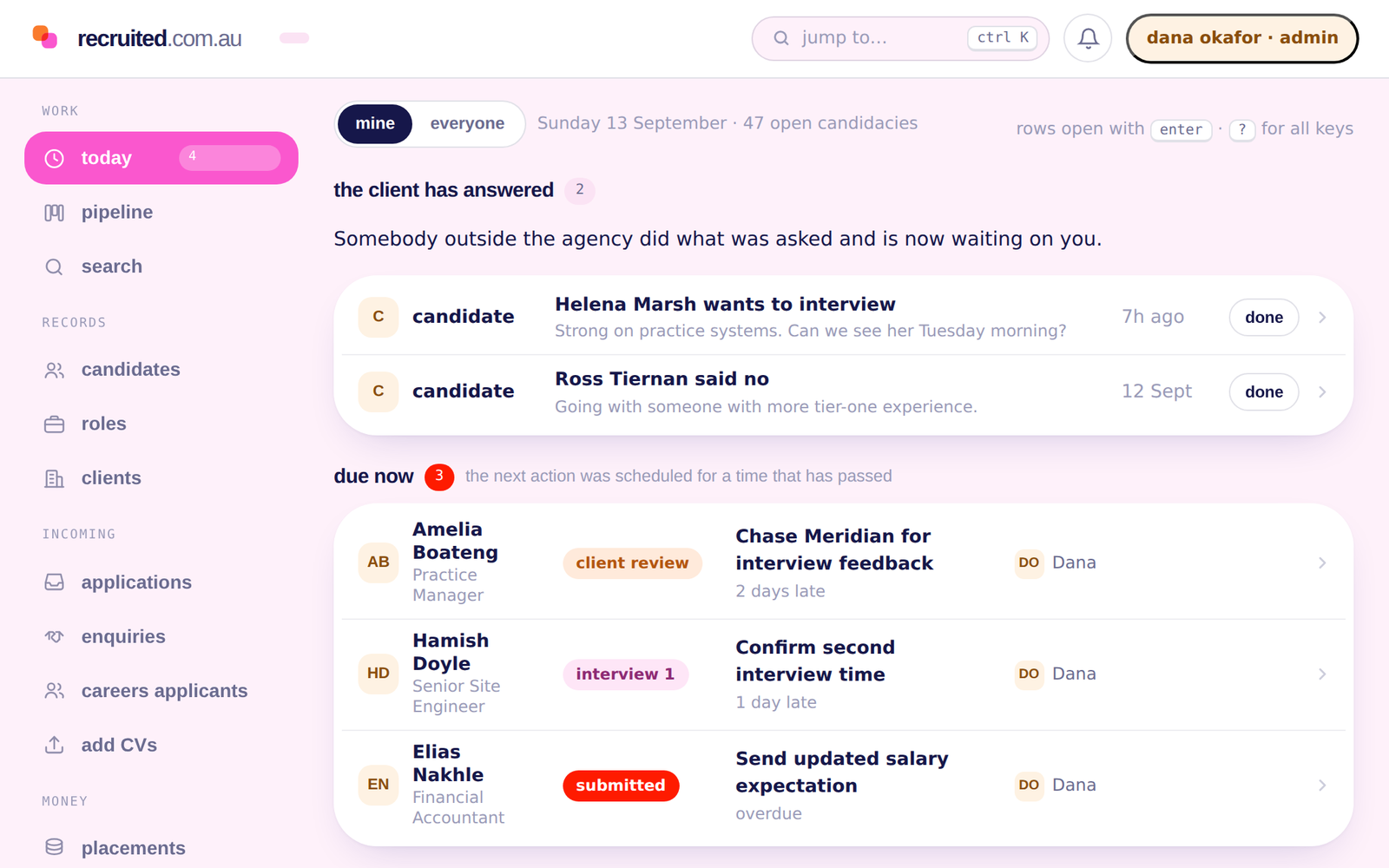
A one-person agency runs the same desk as a twenty-person one: candidates, clients, roles, a pipeline, the email, the ads and the fees. The difference is scale, so the plan is sized by scale rather than by taking features away.
Candidates and an applicant tracking system
People, their experience, their preferences and their history, as records that outlive any one role. 5,000 of them on Basic.
Clients and a recruitment CRM
The businesses you work with, the people at them, the roles they give you and the terms you agreed, on one record.
A pipeline with next actions
Every candidacy has a stage, an owner and a next action. Stalled ones are surfaced instead of rotting at the bottom of a column.
Email on the record
Connect your own mailbox and the threads with a candidate or a client attach to their record. Calls, meetings and notes are logged beside them.
Your own job pages
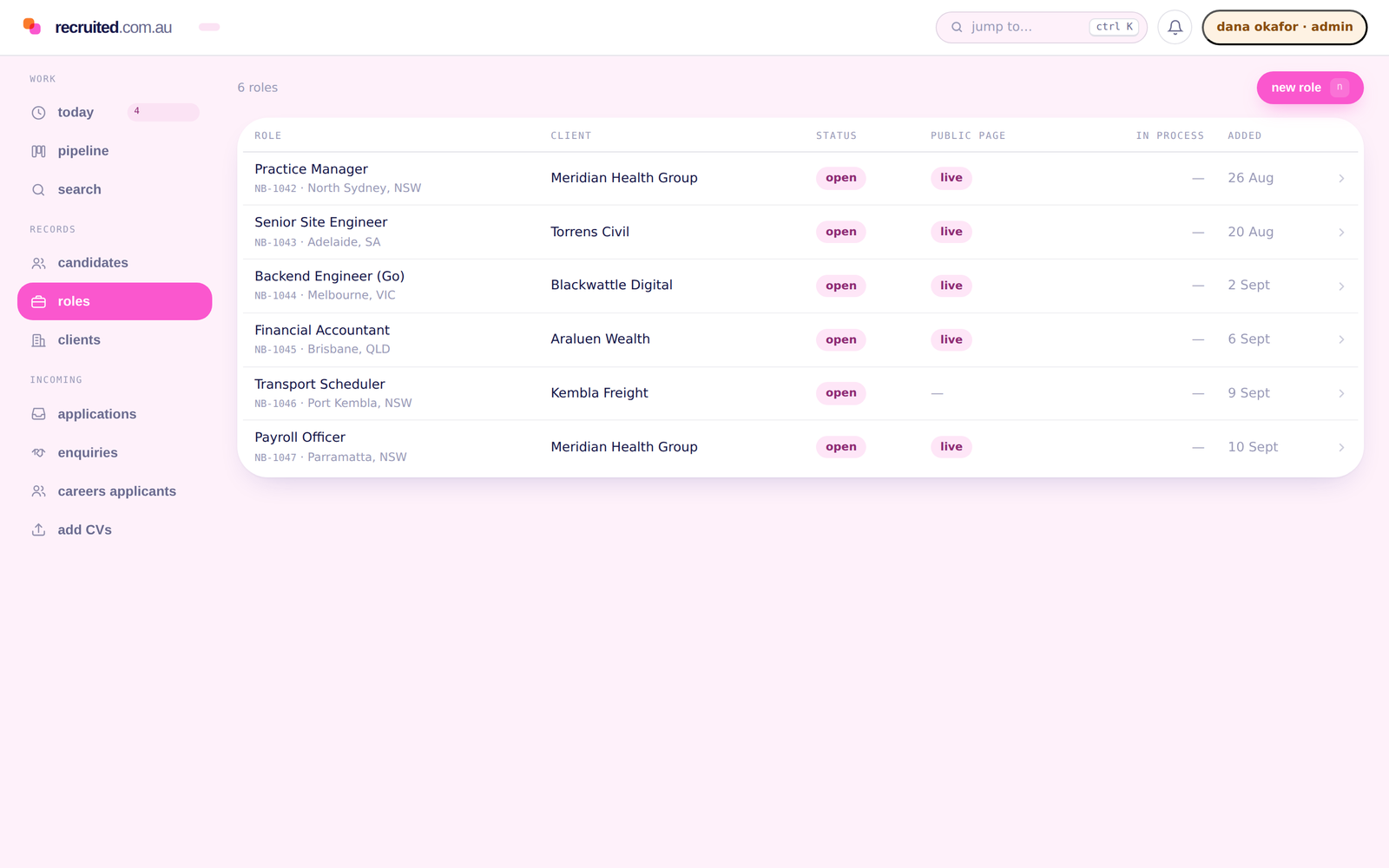
A public page for each role that you own, indexed by Google job search, with applications arriving as records and their CVs ingested.
Fees and what needs attention
The fee, the guarantee period and the invoicing status on every placement, and a Today screen that tells you what is overdue before you go looking.
The Basic plan
A$249/month, excluding GST.
Solo recruiters and very small teams running their whole desk in one place.
- Candidates, clients, contacts and opportunities
- Candidacy pipeline, stage history and next actions
- Today dashboard and reminders
- Structured search over the controlled vocabulary
- One mailbox connection per user
- Owned job pages and application ingestion
- Deal Desk essentials
- Full export, any time
-
1 user included
Each additional user is A$25/user/month. A two-person agency is Basic plus one user.
-
5,000 candidate records
Storing rows is not what costs money, so the allowance sits well above what a small desk holds.
-
10 active opportunities
Roles you are working at once. Closed and filled roles keep their history and do not count.
-
500 market prospects
Opportunity Finder observations for business development, kept apart from your candidates.
Australian dollars, billed monthly, excluding GST. You are warned before you reach an allowance and never blocked in the middle of an offer, a placement, a privacy request or an unsubscribe.
What you do not pay for yet
What Basic leaves out, and Pro adds.
These are the things a small desk usually does not need on day one. When you do, Pro is the next plan; the workspace and the records stay where they are and the allowances change.
Not in Basic
- Shared mailboxes alongside individual connections
- Larger AI summary and search allowances
- Talent pools, saved searches and campaigns at scale
- Advanced forecasting in the Deal Desk
- Larger Opportunity Finder allowance
- Priority migration scheduling
- Job-board distribution
- Trusted circles and timed exclusives
Pro
A$599/month, excluding GST, with 3 users included and A$39/user/month after that. 50,000 candidate records, with active opportunities unlimited, subject to fair use. Growing agencies that need scale, automation and continuous sourcing.
The lock-in question
The export exists from your first day, on every plan.
A small agency’s biggest fear in choosing a system is being unable to leave it. So the full export is on Basic as it is on Enterprise: candidates, clients, contacts, opportunities, candidacies, placements, fee events, communications, notes, pools and the activity ledger, in JSON and CSV, with a manifest of counts and a checksum so you can reconcile it. You can run it at any time, and on the day you decide to leave.
Coming the other way works the same. Guided self-serve import from your current system’s export files is included on every plan: rows land in a staging table, you approve the mapping, you see a dry run, and a re-run updates rather than duplicates.
-
No exit charge
A machine-readable copy of your own workspace is free on every plan.
-
Open formats
JSON and CSV. Nothing that needs our tooling to read.
-
Complete enough to reconcile
A manifest with a count per table and a checksum for the file.
What other small agencies use
The systems Australian agencies commonly run.
JobAdder, Bullhorn, Vincere, Recruit Wizard and Recruit CRM are common choices among Australian recruitment agencies, alongside spreadsheets.
Each is a different product with its own pricing and its own way of working, and the right question for a small agency is the same for all of them: what does the plan I can afford actually include, and what does it cost to leave. Recruited publishes its prices and its allowances on the pricing page, and its export on every plan. If you are on one of those systems now, the switching page describes what an export from it contains and how it maps across.

Getting started
From a spreadsheet, or from another system, to a live workspace.
-
A conversation about your desk
How many recruiters, what you are on now, and what is costing you time.
-
A demo on one of your live roles
Rather than a workspace prepared earlier, which tells you nothing about whether it fits.
-
Your history in
Import from a spreadsheet or your current system’s export yourself, with a mapping you approve and a dry run. A managed migration is quoted separately if you would rather we did it with you.
-
Support in Australian business hours
By email, from people who know what a JobAdder export looks like.
Questions small agencies ask
What does recruitment software cost for a small agency?
On Recruited, A$249 a month plus GST for the Basic plan, which includes one user, 5,000 candidate records and 10 active opportunities. Each additional user is A$25 a month. Billing is monthly, in Australian dollars.
Is there a free plan?
No. Every plan is paid and every plan includes the full export, so nobody pays to leave. Candidates never pay for anything.
Do I need a separate ATS and CRM?
No. Candidates, clients, contacts, opportunities, candidacies and placements are one set of linked records on every plan. The applicant tracking and the client relationship live in the same workspace.
What happens when I reach 5,000 candidates?
You are warned before you reach the allowance, and you are never blocked in the middle of an offer, a placement, a privacy request or an unsubscribe. Allowances are planning numbers for a fair-use conversation, not a meter that stops the work.
Can I start on Basic and move to Pro later?
Yes. The plan is a setting on your workspace. Moving to Pro changes the allowances and adds the Pro features; your records, your history and your users stay exactly where they are.
Can I get my data out if I leave?
Yes. The full export is on every plan, at any time, in JSON and CSV with a manifest of counts and a checksum. It is free, including on the day you leave.
What do small recruitment agencies in Australia usually use?
JobAdder, Bullhorn, Vincere, Recruit Wizard and Recruit CRM are common choices among Australian agencies, alongside spreadsheets. Each is a different product with its own pricing. Recruited publishes its prices and allowances on the pricing page and can import from your current system’s export files.
Can I post jobs from Basic?
Yes, to your own Recruited job page for each role, which Google job search indexes, with applications arriving as records. Distribution to third-party job boards is a Pro feature, and the integrations page lists each channel and how it connects to a workspace.
For small agencies
Bring one live role and see whether it fits.
The most useful demo is on a role you are working now, not a workspace prepared earlier.
We reply within one Australian business day.