Recruitment CRM
A recruitment CRM that keeps the client relationship whole.
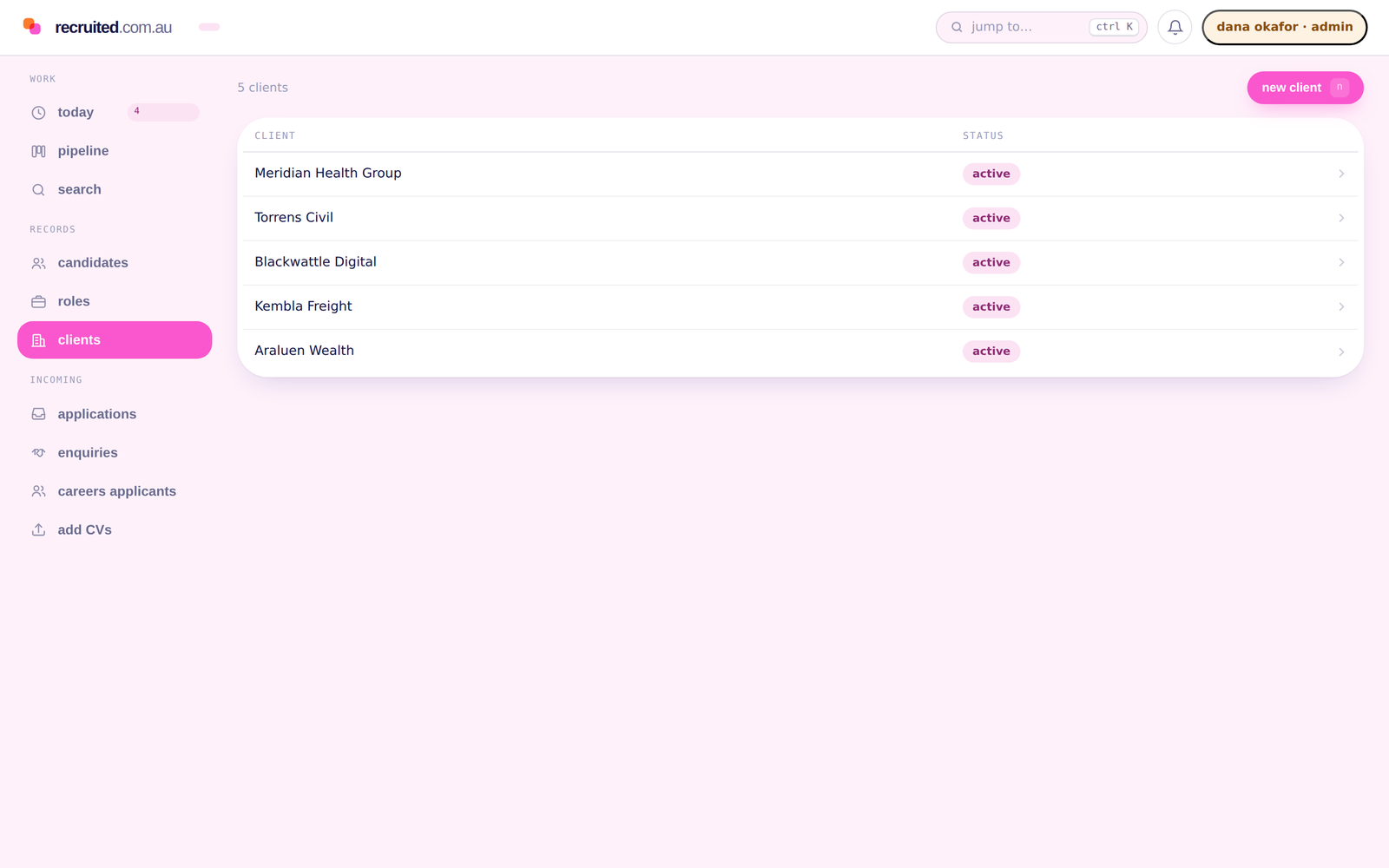
Clients, the people at them, the roles they give you and every conversation along the way, on one record that outlasts any single role and any single consultant.
What changes
-
The relationship is on the client, not in an inbox
Email, calls, meetings and notes attach to the client and its contacts, whoever sent them and from whichever connected mailbox.
-
Terms are recorded on the client
A client’s default fee percentage and guarantee period sit on the client record. A new placement takes its guarantee period from the client unless you set a different one.
-
A handover is a field change
Clients and opportunities have owners. Change the owner and the history, the contacts and the open roles come with it.
Start to finish
One client, from first call to repeat business.
-
A prospect
A business you want to work with becomes a client record with the status prospect. The first call is logged on it, so the second call starts from what was said.
-
A contact
The hiring manager is a contact at that client. Their email address is on the record, so the threads with them attach to the client from then on.
-
An opportunity
They give you a role. It is an opportunity under that client, with an owner, structured requirements and its own pipeline of candidacies.
-
A placement
The fee, the start date and the guarantee period are recorded on the placement, which sits on the client and on the candidate at the same time.
-
The next role
Eighteen months later the same contact calls. The client record shows every role, every placement and the guarantee history, whoever is answering the phone.
What a recruitment CRM is
The client relationship, kept as records rather than as memory.
A recruitment CRM keeps the client side of the business: the companies you work with, the people at them, the roles they give you, the terms you agreed and everything that has been said along the way. An applicant tracking system keeps the candidate side: who was put forward for what, and what happened. Agencies need both, and most systems sell them as two halves that meet at the placement.
In Recruited they are one set of linked records. A placement sits on the client and on the candidate at once. An opportunity belongs to a client and carries the candidacies against it. The applicant tracking system page describes the candidate half; this page describes the client half.
| Record | What it is | What it holds |
|---|---|---|
| Client | A business you work with, and the commercial relationship you have with it. | Status (prospect, active, dormant, lost), industry, website, owner, your default fee percentage and guarantee period for that client, notes, and every opportunity and placement attached to it. |
| Contact | A person at a client. Kept separate from Candidate, because the same person is often both. | Name, title, email and phone, whether they are the primary contact, the client they belong to, and their own timeline of calls, meetings, notes and email. |
| Opportunity | A role you are working for a client, with its requirements as fields rather than a pasted description. | The client, an owner, a reference, title, discipline, seniority, location, work type, salary range and fee, the candidacies against it, and whether it is live on a public job page. |
Business development
Prospecting with a reason to call.
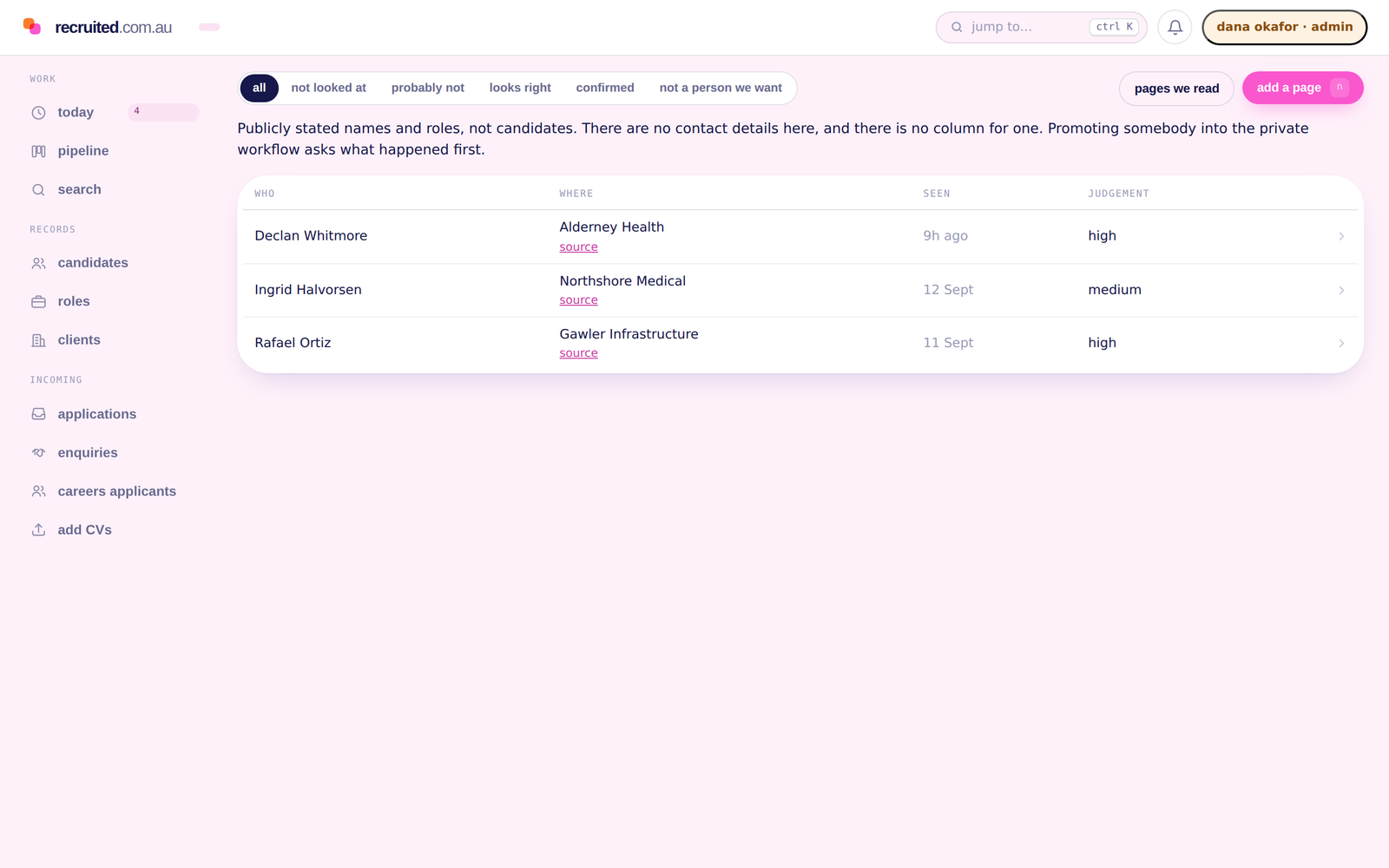
Opportunity Finder fetches one public page you point it at, such as a company’s team page or careers page, and records the people it names and their public titles, with the source, the time it was seen and a confidence a person reviews.
A prospect is a public observation about a business and the people at it, not a candidate record, and it stays in its own space. Nothing runs on a schedule and nothing is contacted automatically. When a recruiter judges the signal real, it becomes a client conversation and then an opportunity in the ordinary way, and the step that moved it across records who decided and why.
Controls
Ownership, history and the way out.
-
Owners on every client and role
A client and each of its opportunities carry an owner. Reassigning one is an edit, and the record keeps who did it.
-
An append-only ledger
What was done on a record is written once and never overwritten. The timeline reads communications, activity and stage changes as one list in time order.
-
Your workspace only
Client records are scoped to your workspace on the server. No other agency, and no shared database, can read them.
-
Full export on every plan
Clients, contacts, opportunities, placements, fee events and communications, in JSON and CSV, with a manifest and a checksum. At any time, including on the way out.
Related
Questions
What is the difference between a recruitment CRM and an ATS?
An applicant tracking system follows candidates through roles: who applied, what stage they reached, what happened. A recruitment CRM holds the client side: the businesses you work with, the people at them, the roles they give you and the history of that relationship. In Recruited they are one system with one set of linked records, so a placement is attached to the person and to the client at the same time.
Is the CRM a separate product or a separate price?
No. Clients, contacts and opportunities are on every plan, alongside candidates, the pipeline and the Deal Desk. There is nothing to bolt on.
Does the timeline on a client show every email?
It shows the email, calls, meetings and notes that relate to that client or a contact at it, captured from the mailboxes your team has connected. Each user authorises their own mailbox and can exclude addresses, domains and threads. There is no general mailbox scan.
What happens to a client relationship when a consultant leaves?
The client and its opportunities have an owner, and the owner can be changed. The timeline, the contacts, the placements and the fee history stay on the client record. The departing consultant’s mailbox connection ends; the history it contributed does not leave with them.
Can the same person be a candidate and a client contact?
Yes, and they stay two records on purpose. A person you placed who is now hiring is common. Merging the two would put their own job search into a record their colleagues can see.
Can I export the client database?
Yes. The full export includes clients, contacts, opportunities, placements, fee events, communications and the activity ledger, in JSON and CSV with a manifest of counts and a checksum. It is on every plan, at any time, including on the day you leave.
Ready when you are
See Recruited on one of your live roles.
A demo against a real role tells you more than a feature list. Bring one, and we will walk it through the platform with you.
We reply within one Australian business day.