Advertising and applications
Compose once. Publish with control. Track every application.
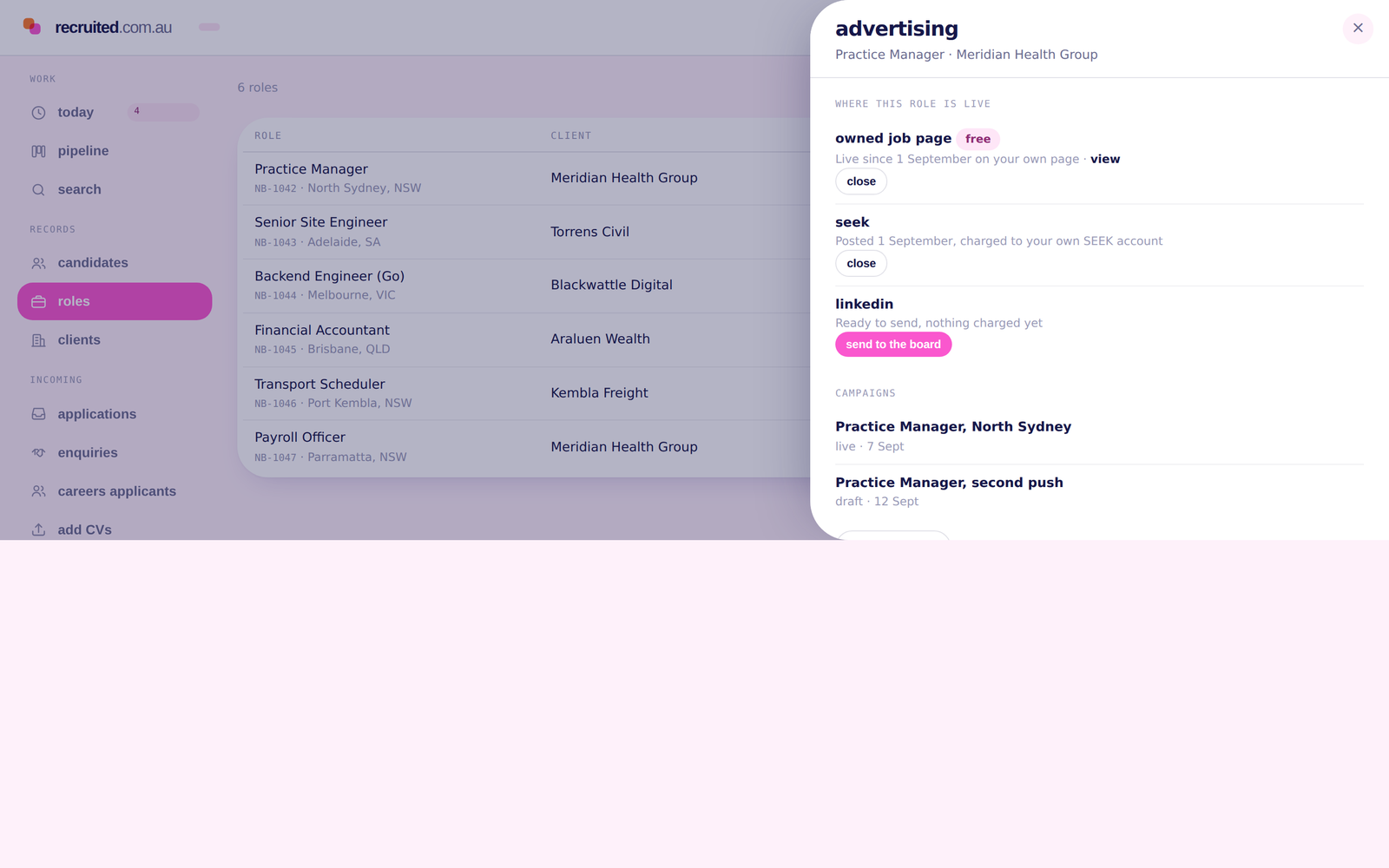
Your own job pages, Google job search and connected marketplaces from one composer, with structured data that matches the page and applications that arrive as records rather than as email.
What changes
-
Applications stop being email
Each one arrives as a candidacy with its source attached, deduplicated against what you already hold, with the CV ingested and parsed.
-
A confidential role stays confidential
The public page shows what you approved. Where a role is confidential, the client’s name never appears, including in the structured data.
-
You can see which channel worked
Source attribution on every application, so next quarter’s advertising decision is based on something.
Start to finish
One role, from draft to a candidate on your pipeline.
-
Draft and approve
The composer produces the ad from the opportunity’s structured requirements. Someone approves it before it is public, including whether the salary is shown, which defaults to off.
-
Publish to your own page
A page on your workspace’s public space, with JobPosting structured data that describes exactly what the page shows.
-
Select the other channels
Each channel shows its connection state. A chargeable post shows its price and asks for confirmation before it goes.
-
Watch the publish state
Published, retrying, or failed with a reason. A silent failure is how a role sits unadvertised for a week.
-
Applications arrive as records
Deduplicated, with the source recorded, the document safely ingested, and a failure quarantined rather than discarded.
-
The role closes
The page comes down and leaves the sitemap immediately.
Controls
What the composer enforces.
-
Confirmation before a charge
A chargeable post, update or renewal shows its price and waits for a confirmed yes.
-
Structured data matches the page
The JobPosting markup describes the visible page. A confidential employer stays confidential in both.
-
Retries with an idempotency key
A timeout never becomes a second invoice.
-
No zombie listings
Closed and expired roles leave the sitemap and stop rendering as live.
Related
Questions
Which channels can I publish to?
Your own Recruited job page and Google job search on every plan, and marketplace connectors on Pro and Enterprise. The integrations page lists each channel and how it is set up for your workspace.
What does “your own job page” mean?
A public page for the role on Recruited, that you own, that is indexable, and that carries structured data matching what it shows. It is the one distribution channel that does not depend on anybody else.
What happens to a CV that fails to parse?
It is quarantined with the application intact, not discarded. The application still reaches you.
Can I advertise a role without naming the client?
Yes. Confidential roles show your agency, or an approved description, and the client’s name is withheld from both the page and its structured data.
Ready when you are
See Recruited on one of your live roles.
A demo against a real role tells you more than a feature list. Bring one, and we will walk it through the platform with you.
We reply within one Australian business day.